

Tags and Segments: 2 New Substack Features That Change EVERYTHING About How You Send Emails
I'm in the Substack Product Lab. The features you were paying Kit for? Substack just shipped 2 for free

Okay, I have to be honest with you.
I knew this was coming. I just didn’t expect it to arrive this fast. Yesterday someone asked me about segmentation and I said:
“You need to use Kit AND Substack"
I also heard today:
“I want to send different things to different people. But I can’t. So I either send everything to everyone, or I send nothing.”
And Substack heard that. They hear a lot of things. They also ship a lot of things…some stay, some they test and quietly sunset again (remember the typewriter and the confetti?! Maybe similar as the green disco ball Spotify’s logo shows right now which will be sunsetted soon.)
But this one? This one is going to stay. Because this one is part of the bigger vision: making Substack a true all-in-one platform for independent publishers - the small guys and the big guys.
Substack’s Product Team is shipping features as if they’re on Red Bull right now.

I'm part of the Substack Product Lab. Here's what they just told us and what it means for you.
So let me tell you what dropped, what it does, and how it compares to Kit which has had a head start on this for years.
I’ll be testing both in the coming days and will report back to you with everything I find. For now, here’s what you need to know short and sweet brought to you by my Substack for Beginners Course (included in the annual membership experience).
What are Substack Tags and Segments?
Just now Substack’s Product Team informed me via email that moving forward we can organize our subscribers with two new tools (in beta).
TAGS, your private subscriber labels
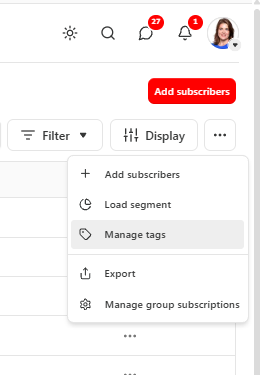
Think of tags as little sticky notes you put on individual subscribers.
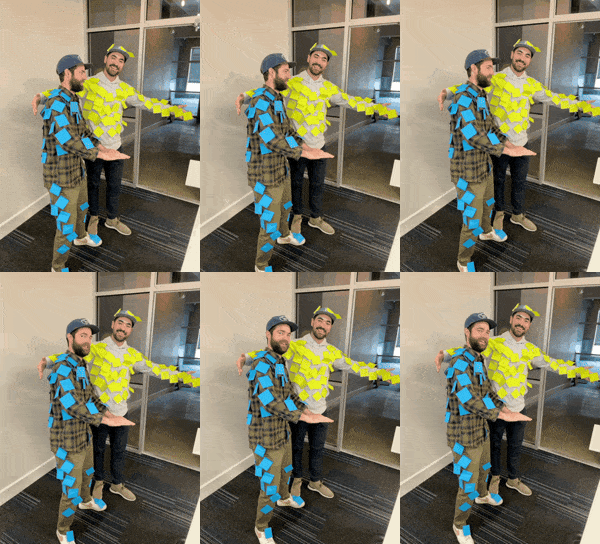
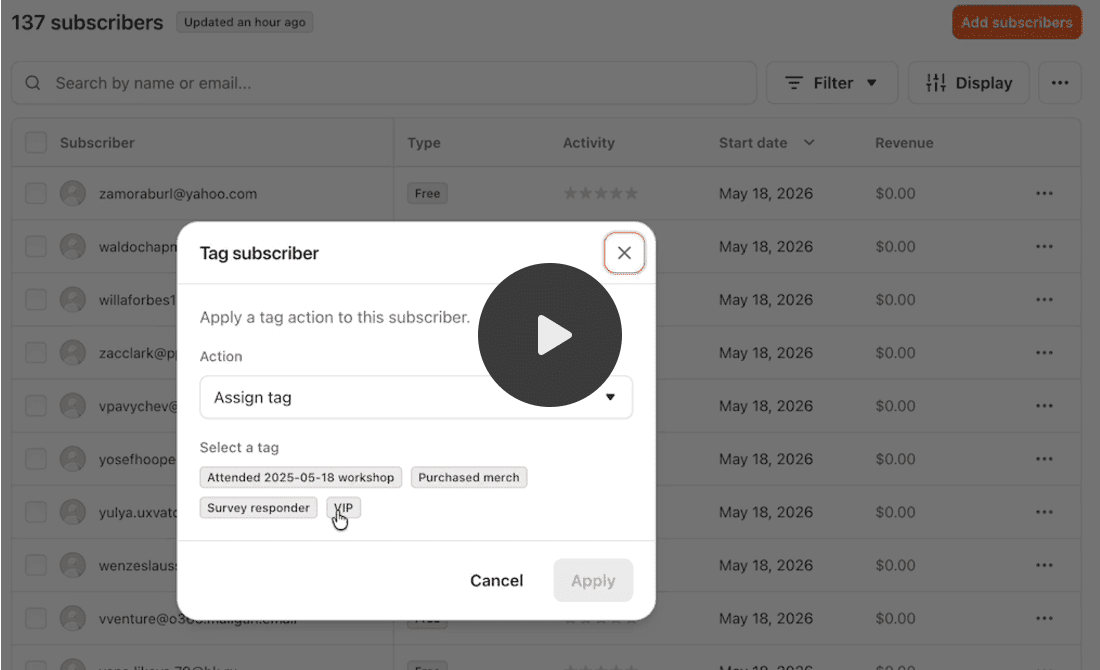
They are internal only, your subscribers never see them. You can have unlimited tags per subscriber. You can edit and delete them anytime.
You can add tags in 3 ways:
#1 During a CSV import, so you can bring your existing lists from Kit or Beehive in already labeled
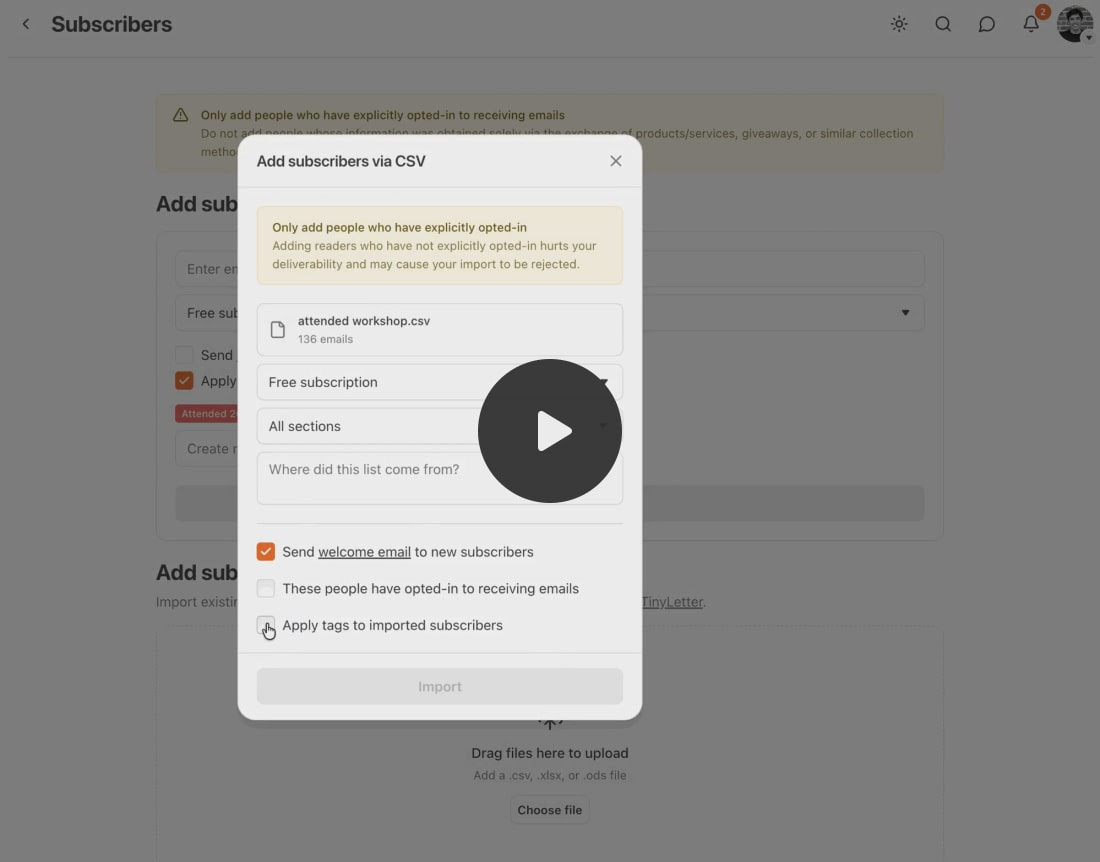
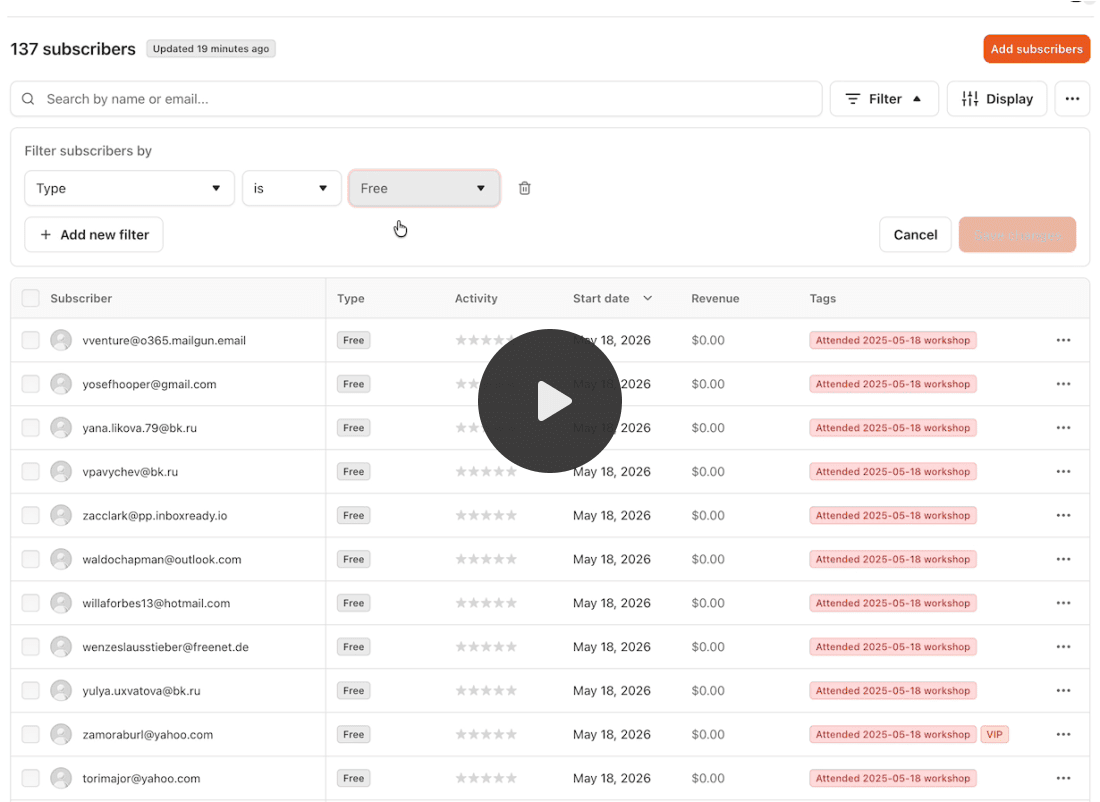
#2 By filtering your subscriber list and bulk-tagging the results
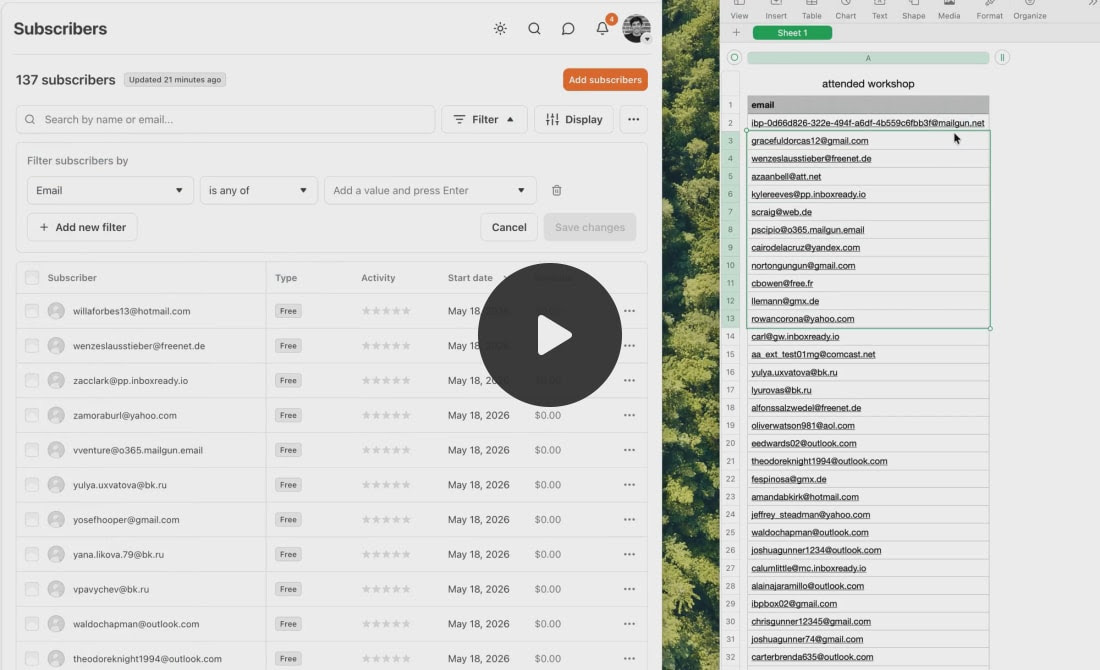
#3 By tagging an individual subscriber directly
Good use cases:
live event attendees
course students
VIPs
meetup guests
SEGMENTS, your smart, saved audience slices
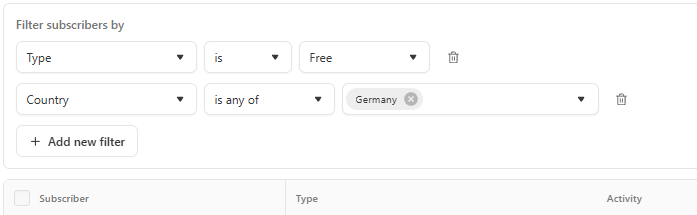
Segments are saved filters you build from your subscriber data, country, state, activity level, paid status, tags, and more.
What’s really cool: they update automatically.
If you build a segment of paid subscribers in Germany, anyone who subscribes tomorrow from Germany gets added without you doing anything.
Stack multiple filters together (AND logic for now, more flexibility coming)
Send an ad hoc email to just that segment
Publish a post and notify only a segment, the post stays public, you just control who gets the email
That last one is my favorite. You can publish more without flooding everyone’s inbox!
Publish for the people it actually matters to. That changes how I think about content cadence completely.
And what’s next on their Substack Feature Roadmap?
Email automations triggered by segment membership. More flexible filter logic. More criteria.
How does this compare to Kit?
Since I have a huge email list living on Kit I pay more than $1,000 per year for this email srvice provider (ESP).
I always said it’s smart to have Kit AND Substack. Maybe at some point I’m gonna say:
“You ONLY need Substack (and save money)!”
Kit (formerly ConvertKit) has had tags and segments for years. So let's be real about where Substack stands right now and where Kit still leads.
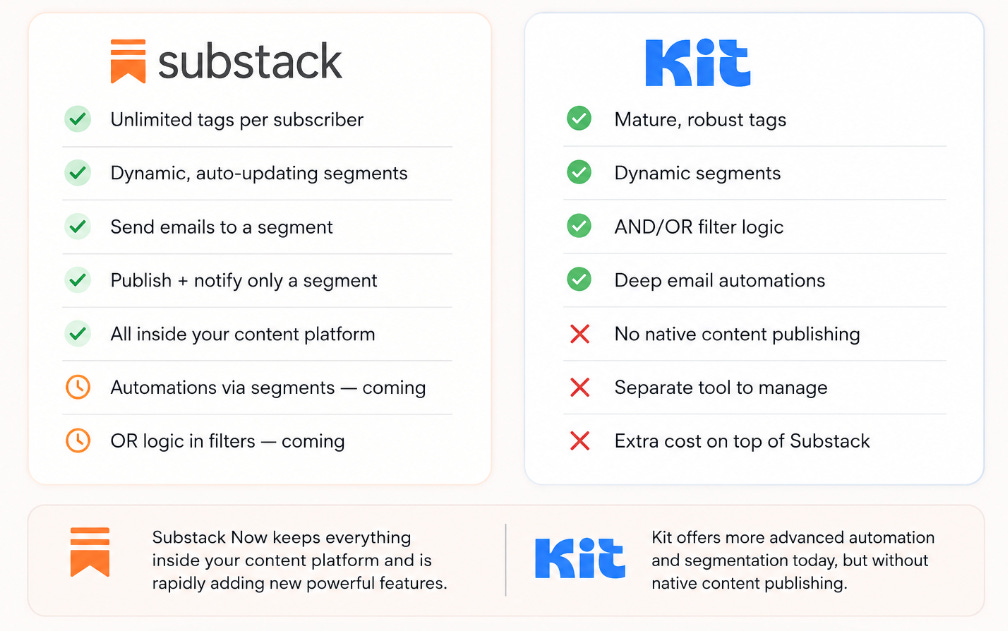
For me this means:
Kit still leads on automations
Substack leads on integration
Kit is still more powerful if you run complex automated email sequences with branching logic. That’s the honest truth. But Kit is a separate tool, a separate cost, and a separate thing to learn, on top of Substack.
The vision Substack is executing on is: you should not need 5 tools to run your publication. And with every feature like this, that vision gets closer to reality.

Szbstack for Beginners: Want to know not just the WHAT but the HOW?
Inside the Substack for Beginners Course, I walk you through the exact steps to set up your Substack for growth, including how to use new (shiny) features like.
Come join us - course is included in the annual membership experience (worth $499) with live classes + on-demand course!

In the first live session, we’ll talk about the different ESPs as planned, pros and cons of Substack and this new feature.
🤔 I want to know: what segment would you build first, what tags would you use?
Your most engaged readers? People from a specific country? Students from a past course? Tell me in the comments. I’m curious what this unlocks for you.
And I’ll be back with a full test report once I’ve had a few days to play with both Tags and Segments for real. Stay tuned. 👀
PS. Don’t confuse post tags with subscriber tags, please. Here’s all you need to organize your beautiful Substack house with tags:

PPS. Sorry for ANOTHER email this week 🤪I know there are busy weeks where I’m sending nothing and then there are those types of weeks🤣 Thanks for being a reader and member of the Online Writing Club!
If this is news to you, please ♻️restack (share) ♻️this post so other writers just like you know about these awesome new features.
How do you feel about it? Tell us in the Club Chat Thread! https://substack.com/chat/443311/post/103b0bb4-242f-426d-b307-03203aebe729
I think the typewriter and confetti was an April fools day thing because it was just there for that 1 day then gone again! 😅