


Most online writers don’t know this… but if you’re writing a newsletter on Substack, you need to know one thing: your personal (!) profile just got a major glow-up.
I was on a call earlier today with a founding member and coaching client (yes, I’m back from my two-month vacation full of energy and ideas and happy to bring you all the latest news and add my two cents), and when I mentioned that she could add a link to her Substack profile, she paused.
“Wait—there’s a difference between my Substack publication and my personal profile?”
YES. And it’s a game-changer.
So here’s what I want you to know:
You have two key spaces on Substack:
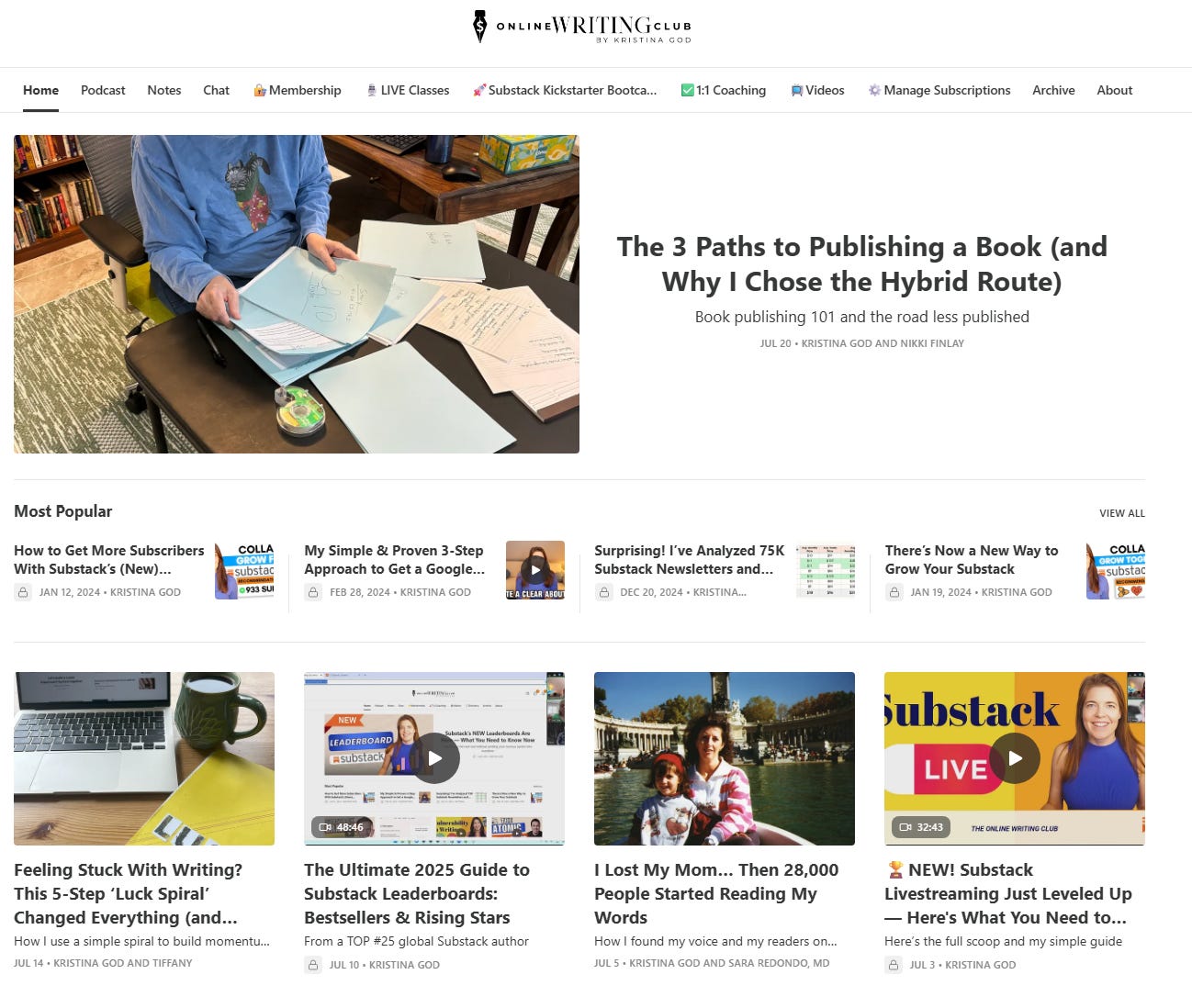
Your publication – where your newsletter lives, e.g., The Online Writing Club
Your personal profile – your brand home, your digital real estate, where people SEE you (and the links I was talking about), e.g., Kristina God
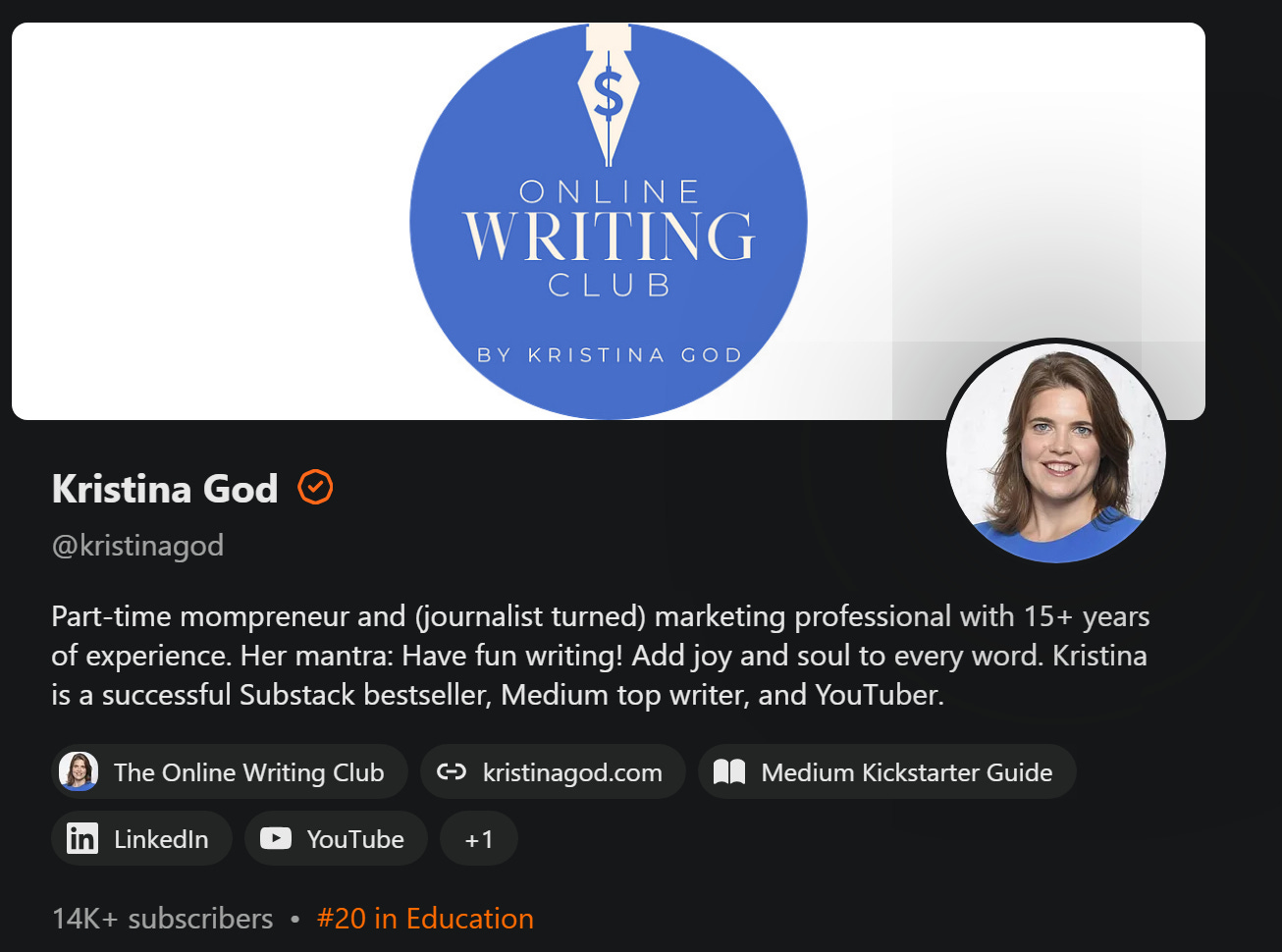
As of this week, your profile has become even more powerful.
Substack’s 3 New Profile Branding Features
Matt Klein from Substack Product Comms informed me via the Bestseller Chat that they just rolled out some fresh profile branding features, including:
✅ A custom cover image for your profile
✅ New accent colors and background tints (early access for Bestsellers only)
✅ Automatic sync with your newsletter’s branding (but editable anytime)
You now have the tools to show up with personality and purpose.
Your Online Presence = Real Estate
I hear you say:
Kristina, why do these tiny changes matter?
Because your online presence is your real estate!
Whether you’re a writer, coach, consultant, artist, or solopreneur, visibility matters.
You’ve got a message.
You’ve got a service.
You’ve got a story the world needs, as my new founding member who wants to write about “sex, grooming, incest, confessional writing, sexual violence, and anything that tumbles out of those subjects”.
And your Substack profile is one of the first places people land when they want to know who you are and what you’re about.
As someone with 15+ years of experience as a professional brand and marketing manager, I can tell you this:
If you want to get paid to be yourself, your brand has to look like yourself.
People decide in seconds whether to stay or scroll. Your visual identity is your vibe, your invitation, your feeling.
As Substack’s team says:
“Effective, evocative design elements can level up how you visually communicate your publication’s value.”
Absolutely.
I know, I know the word “value” is soooo overused. I also can’t hear it anymore. Value here. Value there. Value seems to be the key to everything. So…
How to Use Your New Substack Profile Banner Image
Your banner is like your front porch. These swings in Substack colors are cozy, aren’t they? I’d love to sit and read there.
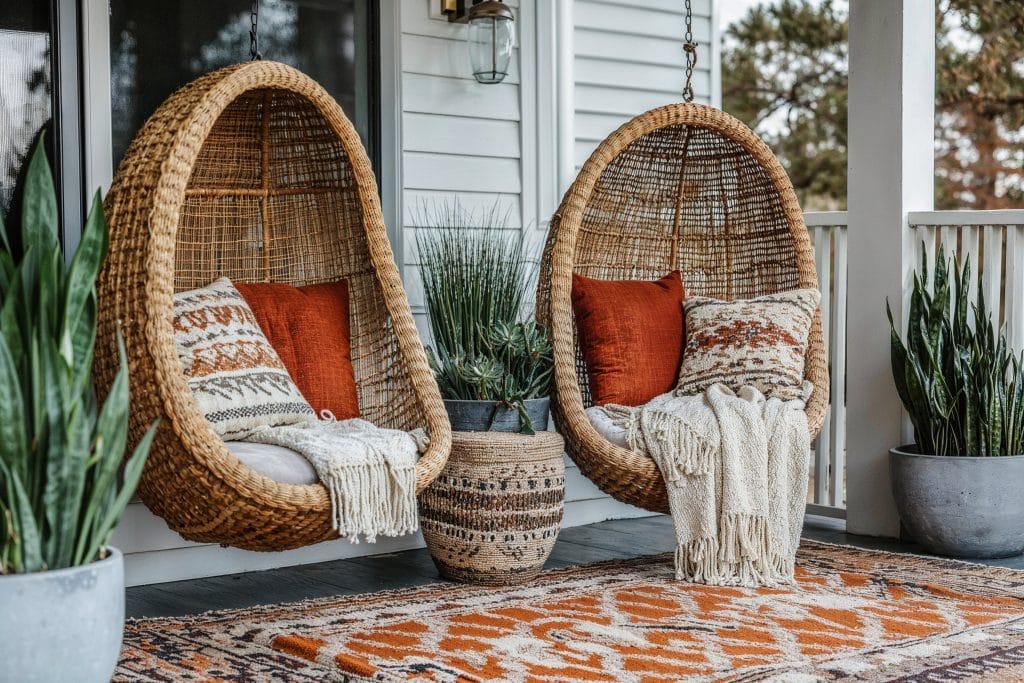
Your front porch tells casual readers:
What you stand for
What kind of experience they’ll have
And why they should stick around
When I worked for Edelman, the world’s biggest CommsMarketing agency in the world, after studying journalism, our designer used to ask:
What’s the first message you want visitors to feel?
Via my DMs and email, I got lots of beautiful examples.
Some WOW-worthy examples:
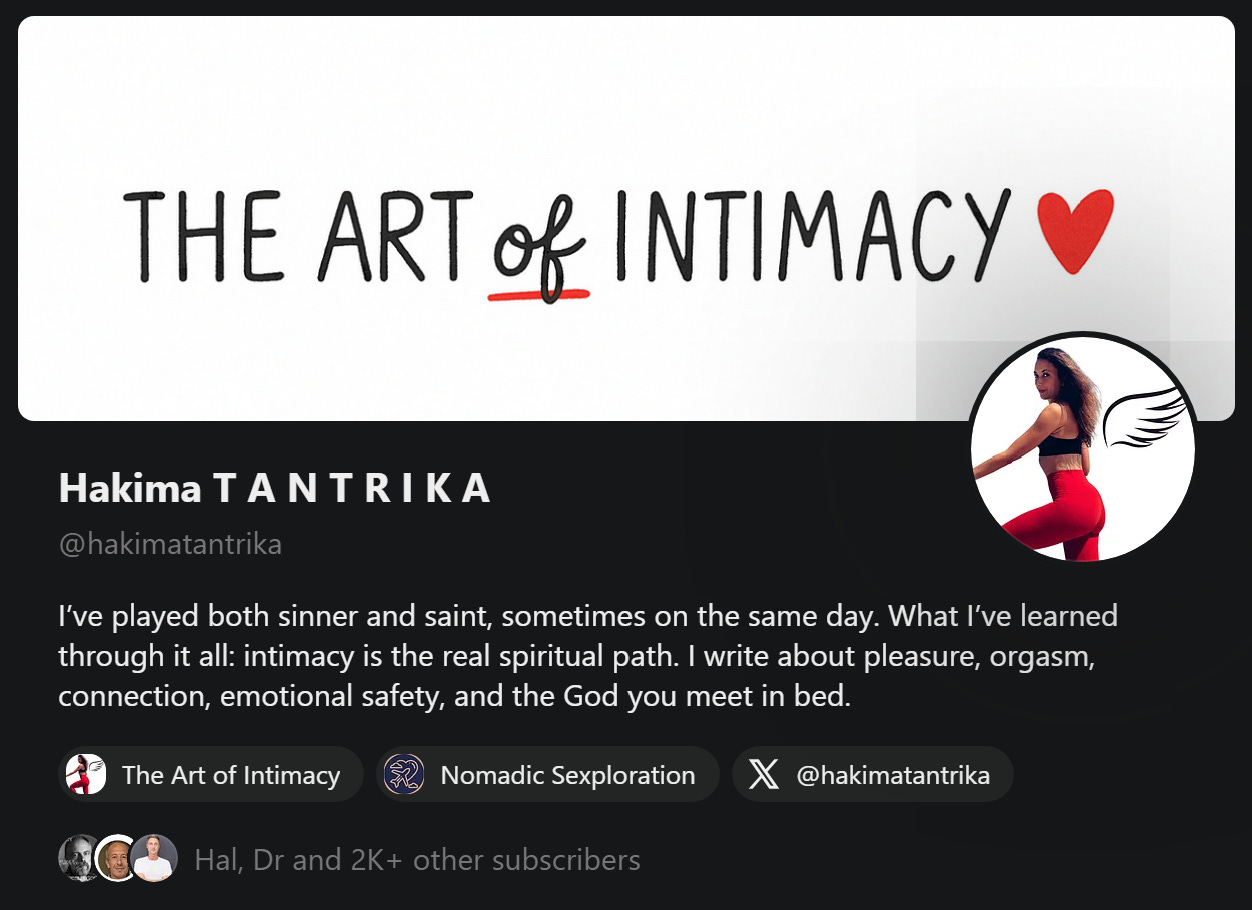
Hakima T A N T R I K A (2000 subs) - used the name of her Substack

photo credit: Hakima Tantrika My POV: Great branding move, especially for a personal brand built around a central idea like intimacy, self-expression, or transformation.
If you're clear on your message, and you want your newsletter to be the way people remember you, this is an excellent strategy. For me it’s the Online Writing Club but I’m gonna add some more context.
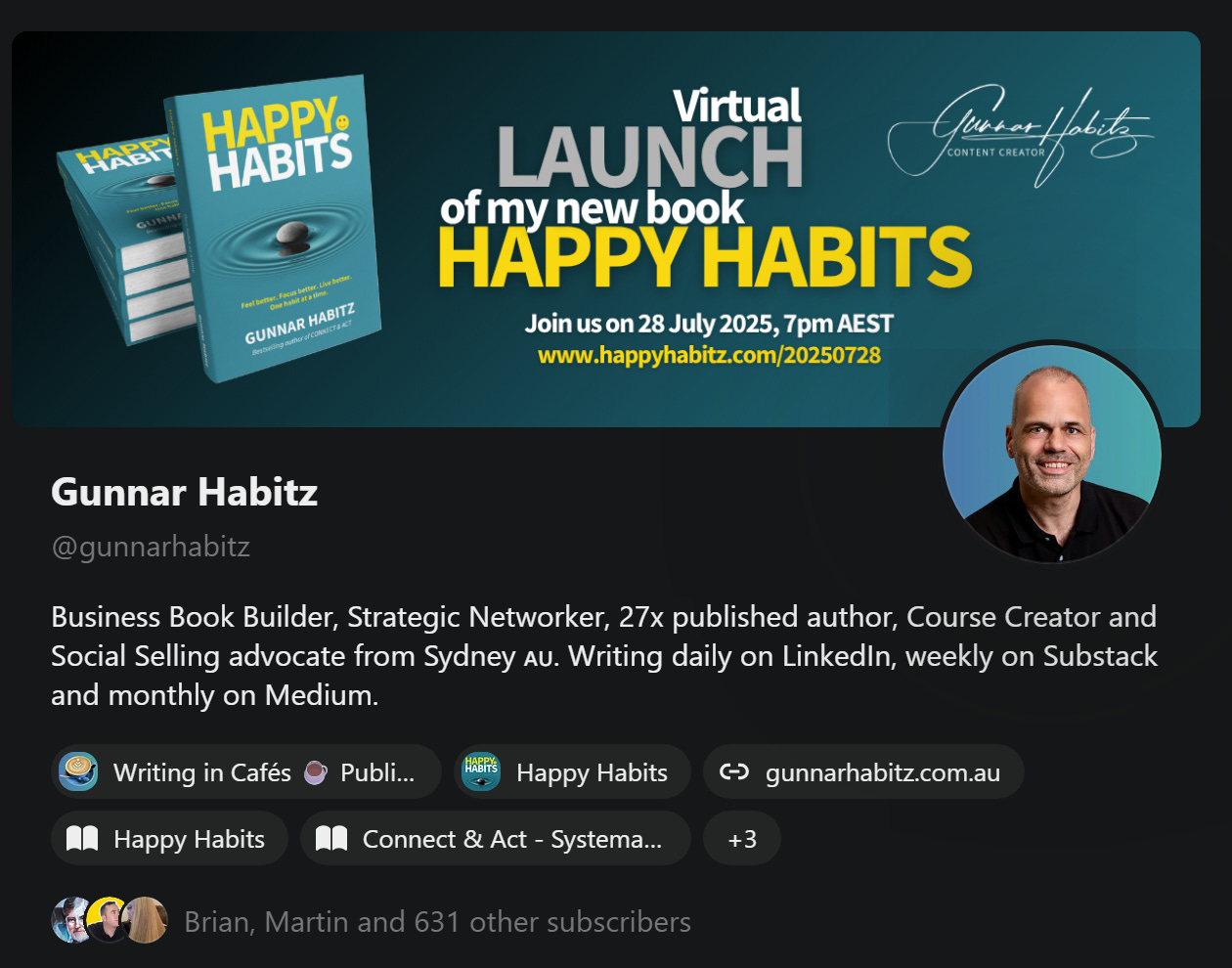
Gunnar Habitz used his banner to announce his book launch

photo credit: Gunnar Habitz My POV: This is a textbook example of how to utilize digital real estate effectively.
Instead of letting his profile banner just “sit pretty,” Gunnar has turned it into a conversion tool, aligned with his bigger business goals (in this case, book sales and (pre-) launch engagement). Tribe member Gunnar knows the importance of the pre-launch runway.
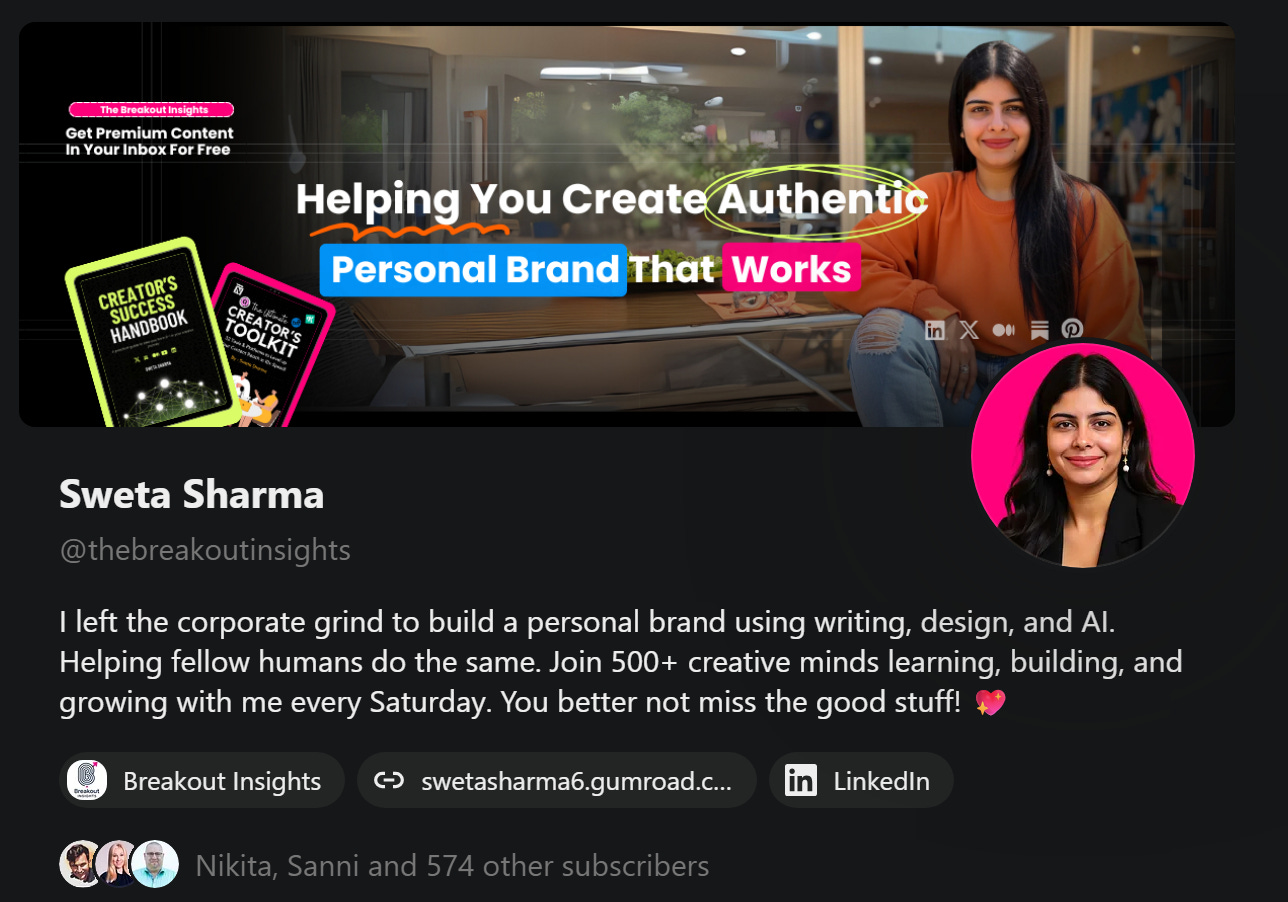
Sweta Sharma tells what her mission is in one sentence
My POV: She replied to Gunnar’s post on Notes he shared with me via DM. So I thought I’d introduce you to her, too. Sweta has clearly designed this space on Substack with intention. Sweta’s profile is doing the exact job your profile should do:
✅ Build trust
✅ Catch attention
✅ Invite connection
✅ Communicate value
Elements Your WOW-Worthy Banner “Should” Include
It’s up to you, and if you’ve been following me for a while, you know I’m not the “do this, not that” type of girl.
However, we can learn from the three examples I picked (and thousands of others I know):
✅Use a professional photo of you (doesn’t have to be corporate-y, we want to have fun and build a soulful newsletter)
✅YOU are your newsletter. You can make a promise: “This I promise you if you subscribe…” I think Sweta is the best example for this.
✅Creds and context are powerful, so you can add them. Gunnar is sharing the exact date of his book launch and inviting everyone to join. Sweta says “get premium content in your inbox for free”. Might be a bit generic, but with her books, it’s getting clearer.
I really hope this helps you get a good idea for your profile banner. I’ll update mine too and share more about it in a video tutorial.
Here’s what you can do next if you want to take inspir-ACTION:
3 Easy Ways to Design Your Banner (Even if You’re Not a Designer)
Option 1: Use ChatGPT
Well, of course (!) you can ask ChatGPT to generate a design idea based on your brand colors and tone.
As I know, some of you love prompts. Here’s one:
Try this prompt:
“Act as my website designer and create a Substack banner (1200×400) with (colour) and (image). Slogan should be (text). As CTA use (CTA).”
You’ll get something simple you can mock up or pass to a designer (option #3).
Option 2: Use Canva
This is my fave method. I use Canva every single day and soon one tribe member will share a Canva tutorial as guest post.
Here’s how you can create a banner:
Go to Canva
Create a custom design: 1200×400 px (or 1800×600 works great too)
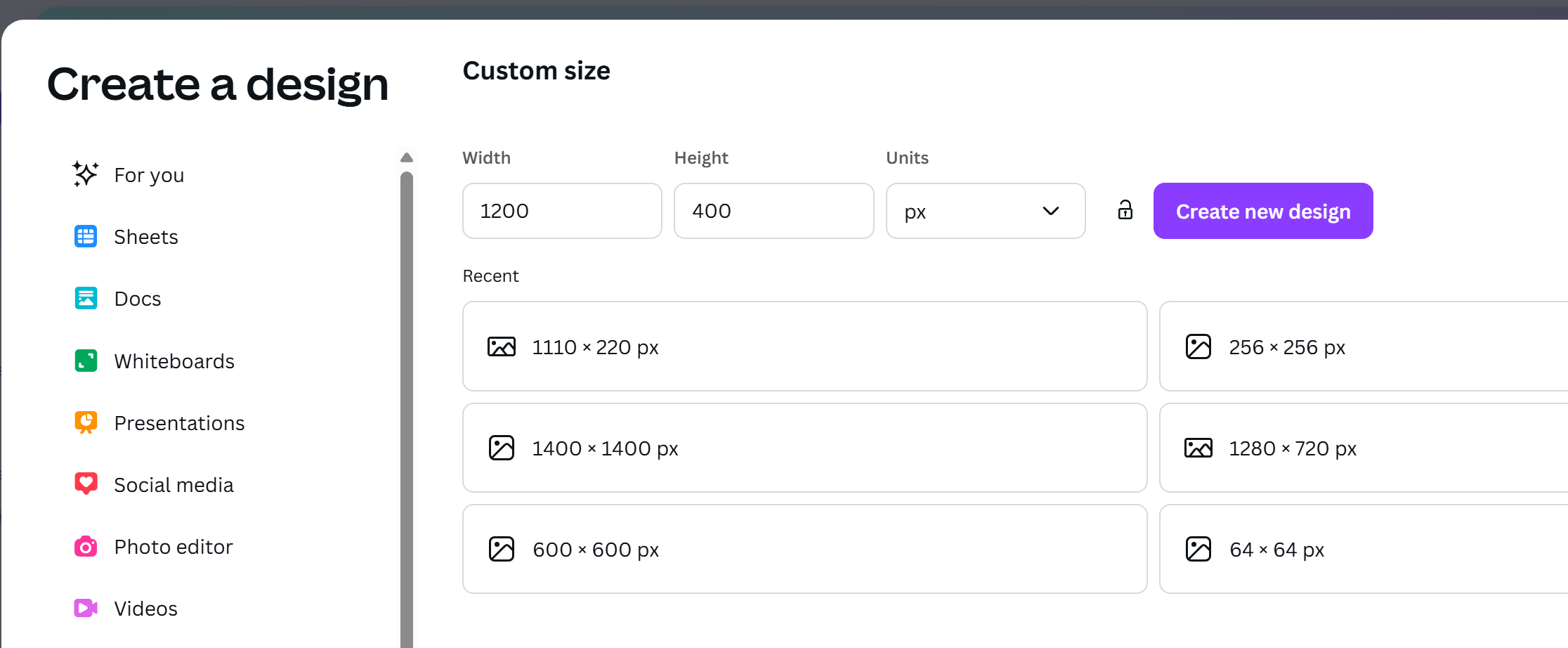
Pick one of thousands of templates that matches your vibe and personality by using the search
Design your Substack banner
Export as PNG. Then Upload to Substack.
“You can customize your profile anytime by going to Edit Profile → Branding in the app, or Edit Profile on the web (settings appear just below name and bio). Please make sure to have the latest version of the app installed to see these settings”, shared Matt from Substack
*There’s also a custom GPT for Canva you could use.
Option 3: Ask a Design Pro on Fiverr
Want to outsource it?
You can hire a great freelancer on Fiverr to do it for you affordably.
(I can recommend some, if you need guidance.)
Want Help Bringing It All Together?
If you’re someone who needs more than a tutorial and wants it done “right”, I’ve got your back.
I offer a done-WITH-you branding setup for:
✔️ Annual paid subscribers
✔️ Founding members
Inside this service, I help you:
Define your visual identity so it aligns with your real-life personality
Set up your profile and publication for consistency and confidence
Craft a banner and message that feels natural and true to you
And the best part?
I’ve brought in a small team of experienced creators and designers to support you too. Because I’m not a design expert, but I can help with the visual identity. These are people I trust and can link you to directly.
Most setups take 2–5 days.
This team is NEW since this is my part-time business, but I want you to feel like I’m here for you fully when it matters.
Your Homework:
Update your profile
Add your banner
Message me or leave a comment if you’d like my help setting it up “right”
Extra points: Share your banner with us in the Chat or via Notes (tag me with @)
Let’s conclude with Matt’s empowering words (in a time where many speculate about what’s to come with the $100M in series C funding and native ads’ future):
We’re continuing to make Substack feel more like your own space—where you have control over how you show up and connect with your subscribers.
Make sure your Substack reflects the brand you were meant to share with the world,

P.S. If you loved this news or think someone needs to read this, please share 🔁 it with your friends, colleagues, and family as this means A LOT to me as a part-time mompreneur. Thanks so much! 🔁 Hugs!
Share screenshots of your banners here in the Chat thread of this post:
https://substack.com/chat/443311/post/34864ead-536e-4851-a0bb-2b2235468247
Thanks!
Thank you so much for including my banner in your post, Kristina! Now mine are aligned across Substack, LinkedIn and Twitter, even Facebook for my book launch next Monday (and clear how it looks like afterwards).
Well done with providing a done for you service for your annual paid members!