How to Create a Free Newsletter With Substack in 6 Easy Steps (Beginner Guide for 2026)
No BS guide from a Substack bestseller and part-time mompreneur

I see you.
You’re scrolling through Substack like you’re just looking. Clicking on other people’s beautiful homes on the streets of Substack. Thinking…
Wow, this looks sooooo good!
You’re telling your partner or best friend:
“I’m thinking about starting a Substack in 2026.”
And then nothing happens.
Another week passes. Another month passes.
You’re not lazy. You’re just stuck in your head!
Substack only feels hard when you turn it into a huge life decision.
What should I write about?
What should I call my Substack?
What if I pick the wrong name?
What if I mess this thing up?
If you’ve got post its with lots of ideas and zero posts live…
If you’re still trying to name your newsletter but haven’t published..
…we’re fixing that in today’s Substack Kickstarter Bootcamp 2026.

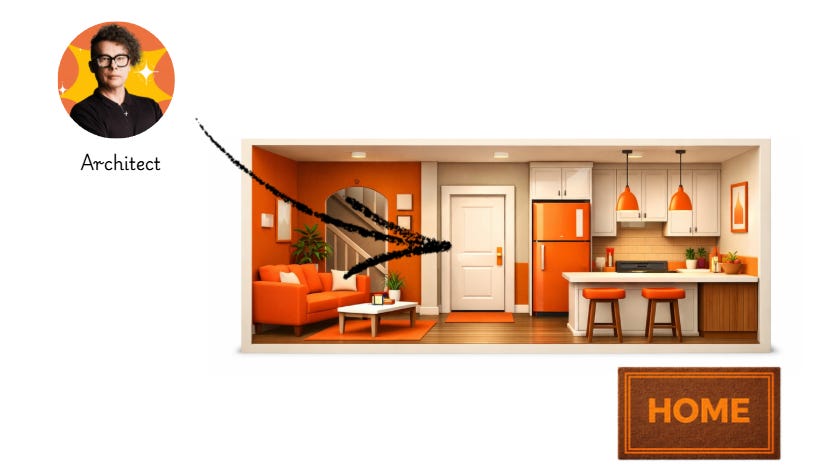
We’re keeping Day #1 with our Substack house architect Jerry Keszka simple on purpose.
Jerry will show you we’ll just care about 2 things:
#1 Your profile.
That’s you, the writer. The heart, brain and soul behind your newsletter. The person who wants to build a house on the internet screets of Substack.
#2 Your publication
That’s the newsletter, website, blog however you want to call it. Your house.
So, let’s build. Whether you’re a LIVE bootcamper or not, we want you to take ACTION!
⌛Want Help From Someone Who’s Built This Before?
If you’re thinking,
I wish someone would just tell me what to do and walk me through it - brick by brick!
That’s exactly why we’re running the Kickstarter Bootcamp.
📅 January 20–23
⌚ 11:00 AM ET | 8:00 AM PT | 4:00 PM UK/Scotland | 5:00 PM Berlin time, 120 min each day!
Today, we’re learning from our architect, Jerry Keszka

No guesswork. No spiraling.
Just joyful building TOGETHER with a bunch of other writers (your potential neighbours) who just want to have fun building their house on the internet streets of Substack.
And YES, we’re starting today.
In 4 hours!
If you want to stop thinking and finally publish, join us.
We’ll build your Substack home together.
⌛1 spot left!
Use the code: LASTMINUTE
Step 1: Start Your Substack in 60 Seconds
Go to substack.com and click CREATE.
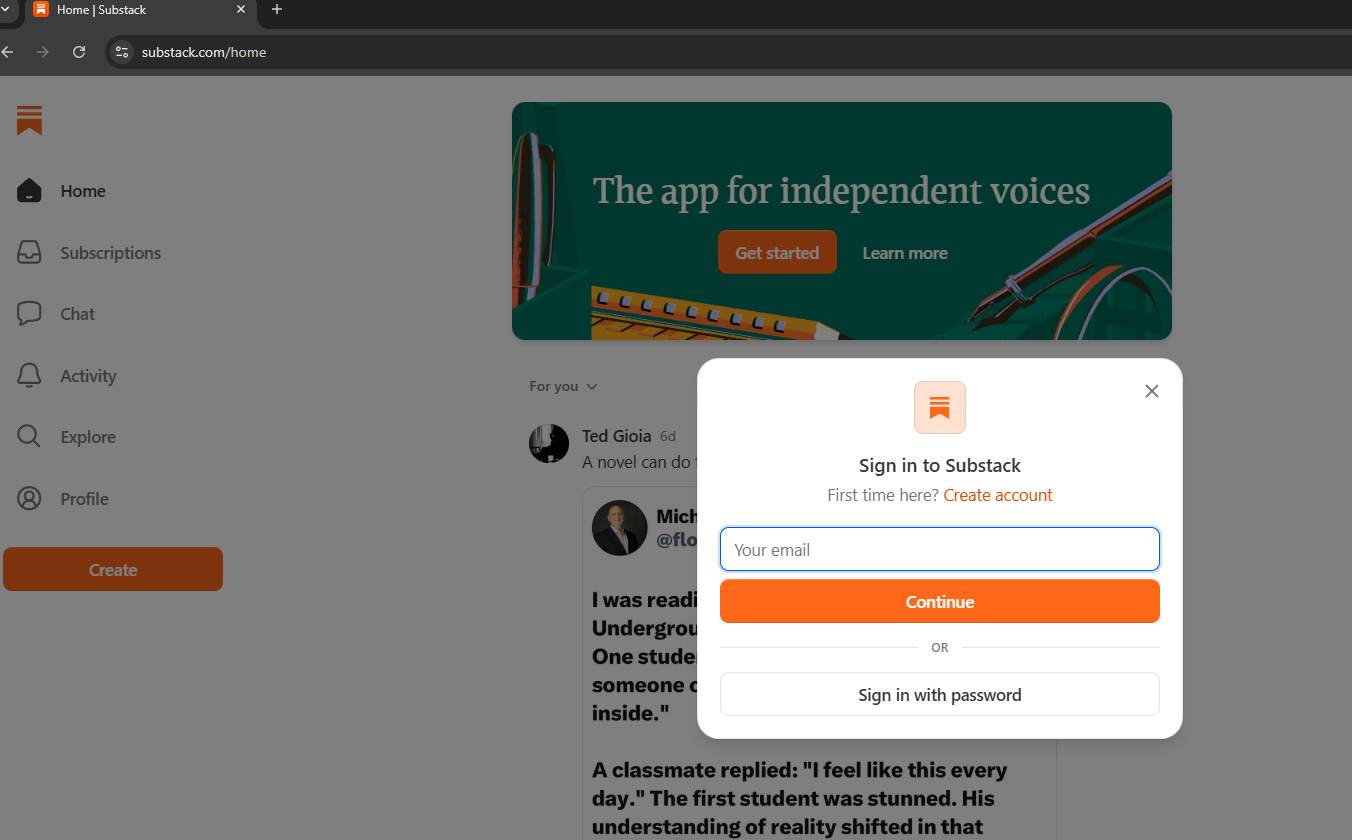
Sign up with your email or Google.
Substack is going to ask you a bunch of questions. This only takes a few seconds to answer, but if you don’t feel like it, we’re skipping them. If not, we’re just picking what feels righ in the moment.
No worries: We’re not committing to an identity yet. We’re opening a blank page here and write our way to our Substack home.
Step 2: Set Up Your Profile Without Overthinking It
Your profile is how people see you across the Substack streets.
In Notes. In comments. Everywhere.
Here’s what we’re filling out:
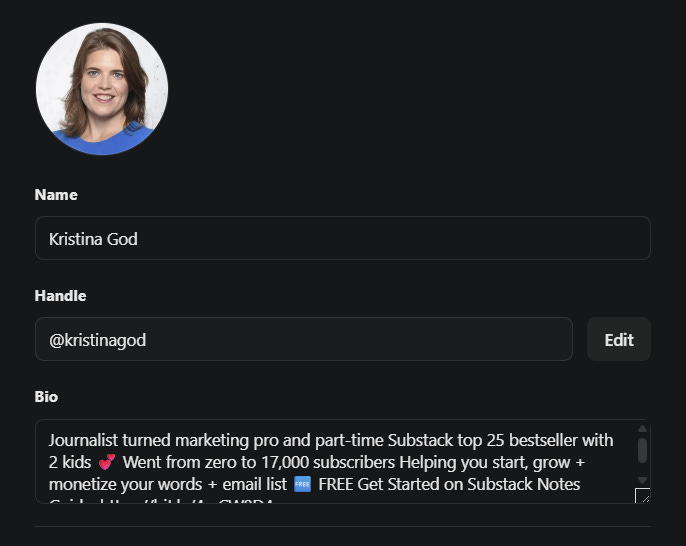
Your name
Real name or pen name. Both work.
Your handle
Keep it clean and simple.
Your short bio
1-3 sentences.
Your photo
Friendly. Human.
That’s it.
You now officially exist as a writer on Substack. SUPER!

But writers write. So let’s set up the newsletter.
Step 3: Create Your Newsletter Even If the Name Isn’t Perfect
This is your publication. Your real estate on the internet. Your social-media escape from rented land to land and a house you own.
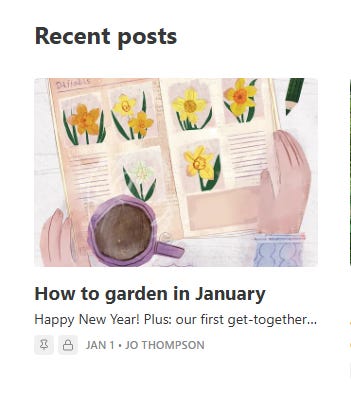
It could look like this wonderful newsletter from garden designer and writer Jo Thompson, I really love:
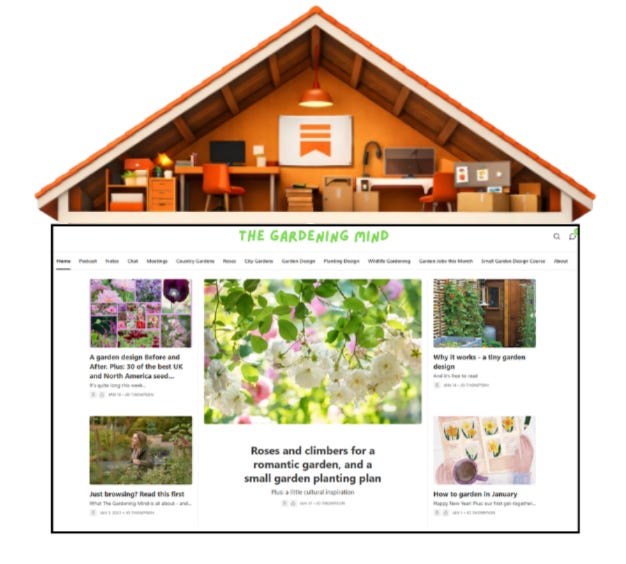
Now fill this in without spiraling.
Your publication name
Take 15 minutes to think about it. Don’t overthink it. Put your fear on the passenger seat and keep driving to your home that is Substack. You’re allowed to change it later.
Pick a name that works for now (doesn’t define your identity forever!)
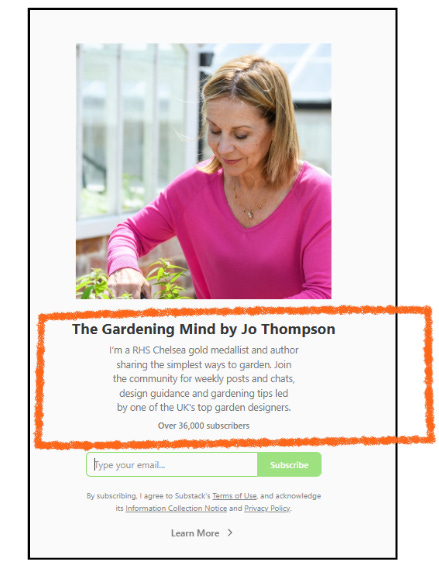
Your short description
Share with the Substack community what you’ll probably write about. Let’s say: fishing, yoga, dog sitting, horse breeding.. or gardening.
Logo - 256 x 256 px
You can upload a headshot or create something in the design tool Canva or with AI. A flower when you love gardening. It can be as easy as that. You can change this later. Now keep going.
Wordmark - 1344x256 pixels

Want something bigger? The wordmark helps. Here you can let you creative juices flowing. Image and text or simply the name of your newsletter.
Now you can do your happy dance, my future Substack rockstar! But there’s one more step before you can tell your friends, family and kids about your new Substack newsletter in 2026.
Step 5: Touch These Settings and Then Stop
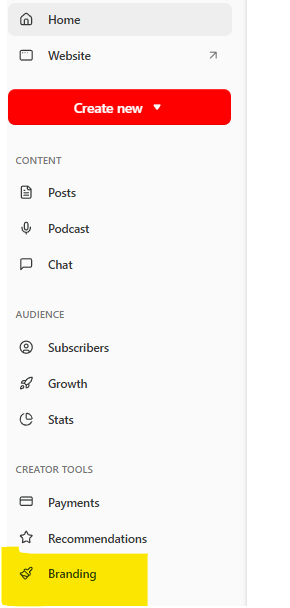
In your dashboard click on branding and then spend 2 to 5 minutes here. Not longer.
Pick a theme that fits and a website style you like for your Substack home.
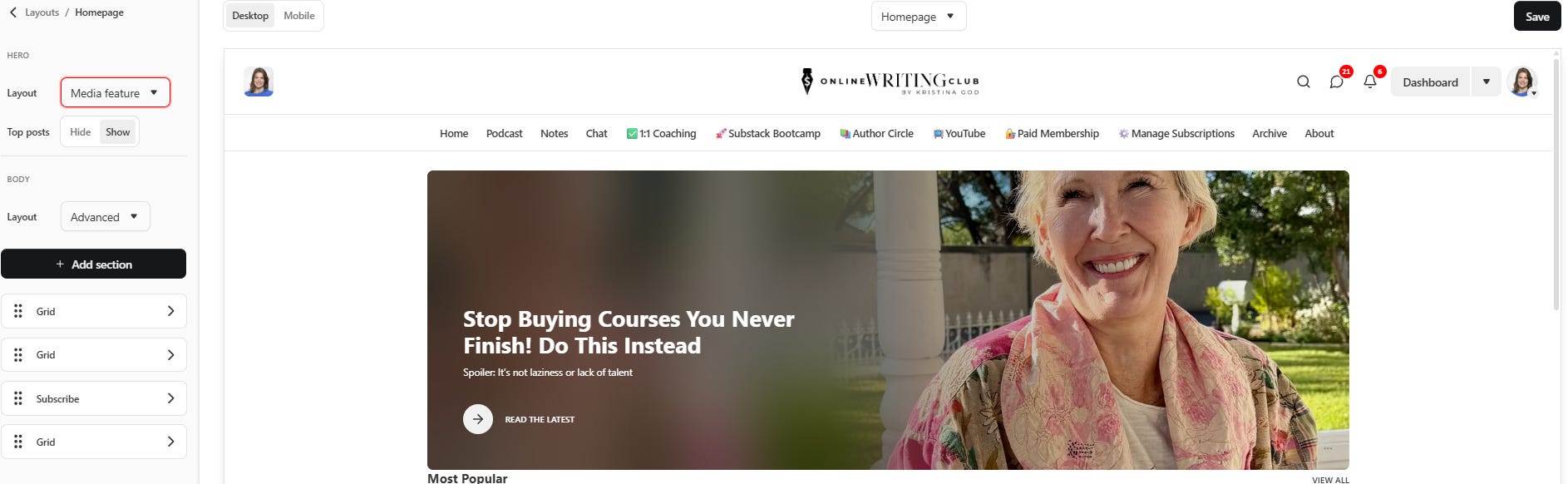
Pick colors and typography that’s easy to read.
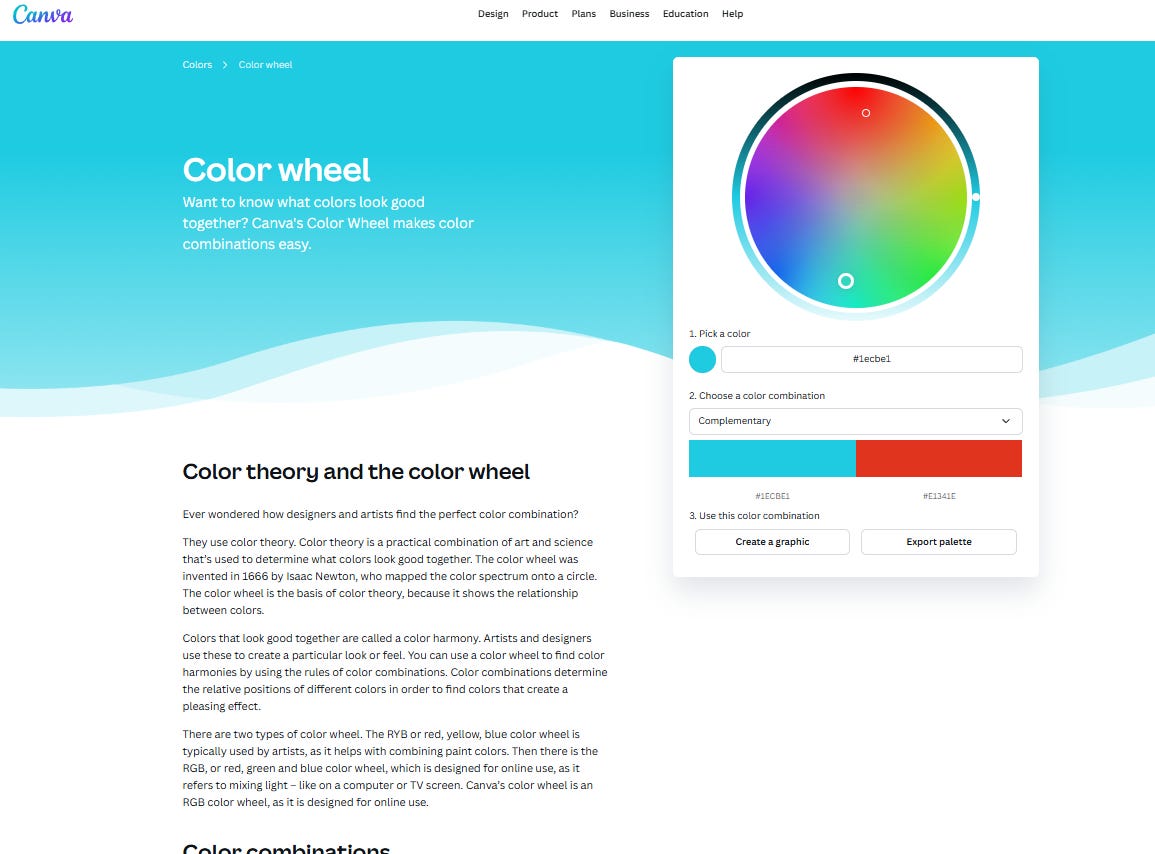
You can also use Canva’s colour palette to find the perfect colour combination:
Step 6: Write Your First Post
Don’t overthink it.
It’s January. As a gardener it’s nice to share some tips on how to garden in this season of the year. Let’s kick off your home on the internet with a nice post. It can be long, it can be short.
Doesn’t matter. Maybe you can also just take one of your hundred drafts sitting in your Google Doc or Notes.
The Substack post editor is easy to understand and minimalist.
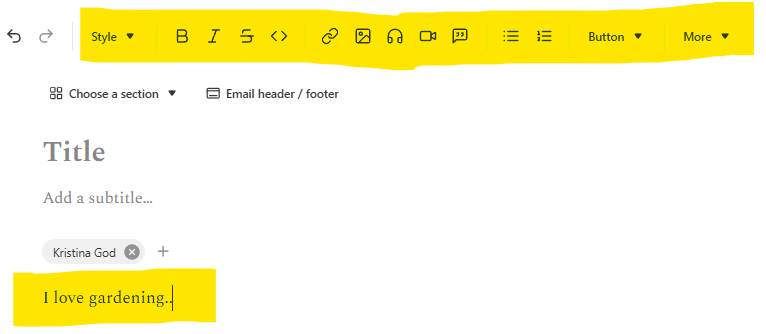
Style — normal text, H1, H2, H3…, create your title and header; create a subtitle and header
Bold — make your text bold
Italics — generate italic text
Strikethrough — strike out your text if you feel like it
Code — add code
Links — embed hyperlinks to your story
Images — add an image you own, generate one with AI, browse stock photos or create a gallery (think Instagram reels)
Audio — insert an audio file, can be a podcast, music or voiceover
Video — insert an video file, can be short or long
Quotes — create a block or pull quote
Bulletpoints — add bullets
Numbered list — create a list, this is for listicle lovers
Indent
Deindent
Button — bunch of buttons to subscribe, leave a comment. My tip: customize one!
More — awesome feature as you can here add…
Divider
Financial Chart
Footnote
LaTex
Paywall
Poetry
Poll
Recipe
Now…Congrats! Especially if you add some more posts, your Substack is real now Yes, even if it feels fake and you can’t believe it. It’s true! You started building your house.

You Can Make It Pretty Later
After publishing a few posts, you can play around with everything else.
Posting beats polishing. Every time.
⌛Want Help From Someone Who’s Built This Before?
If you’re thinking,
I wish someone would just tell me what to do and walk me through it - brick by brick!
That’s exactly why we’re running the Kickstarter Bootcamp.
📅 January 20–23
⌚ 11:00 AM ET | 8:00 AM PT | 4:00 PM UK/Scotland | 5:00 PM Berlin time, 120 min each day!
Today, we’re learning from our architect, Jerry Keszka
No guesswork. No spiraling.
Just joyful building TOGETHER with a bunch of other writers (your potential neighbours) who just want to have fun building their house on the internet streets of Substack.
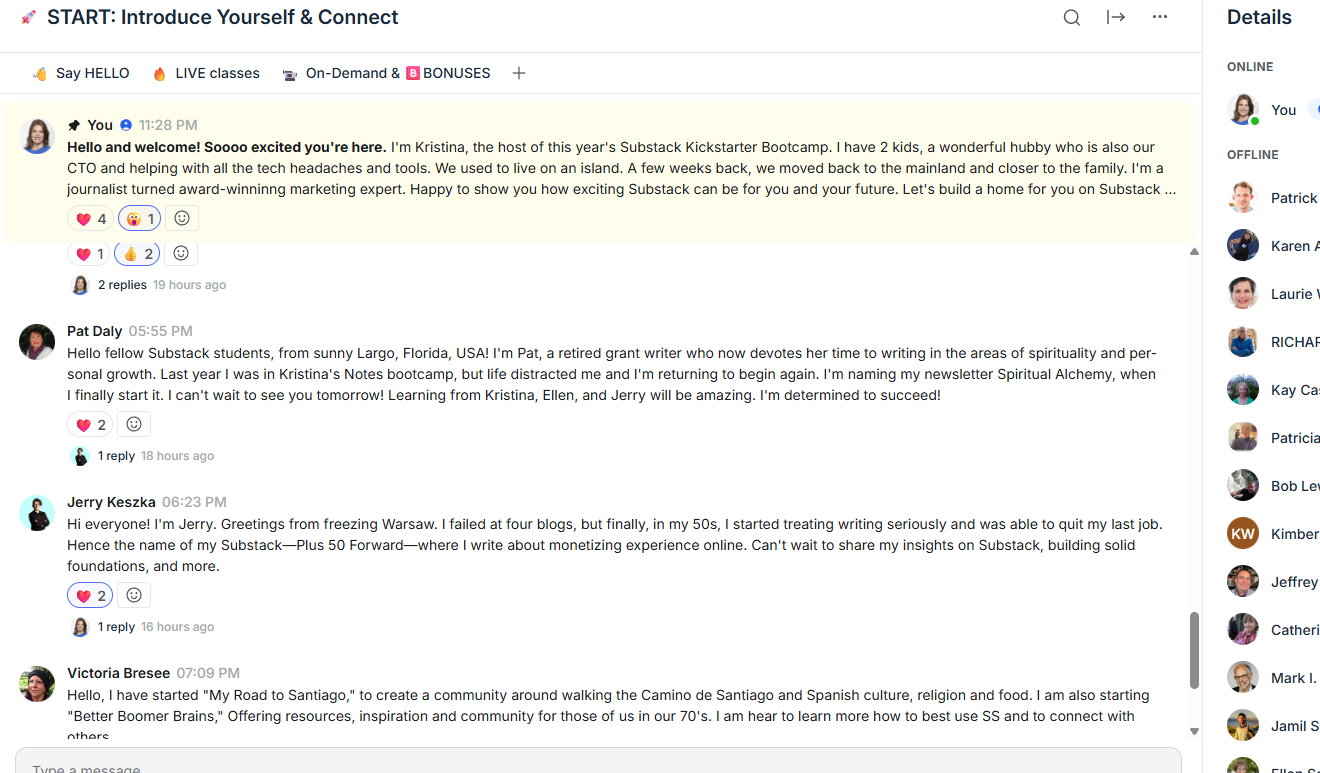
And YES, we’re starting today.
In 4 hours!
If you want to stop thinking and finally publish, join us.
We’ll build your Substack home together.
⌛1 spot left!
Use the code: LASTMINUTE
Meet you inside!